Saltar a contenido
View in the app

A better way to browse. Learn more.

Escorts VIP Santiago | SectorVIP

A full-screen app on your home screen with push notifications, badges and more.

To install this app on iOS and iPadOS
  1. Tap the Share icon in Safari
  2. Scroll the menu and tap Add to Home Screen.
  3. Tap Add in the top-right corner.
To install this app on Android
  1. Tap the 3-dot menu (⋮) in the top-right corner of the browser.
  2. Tap Add to Home screen or Install app.
  3. Confirm by tapping Install.

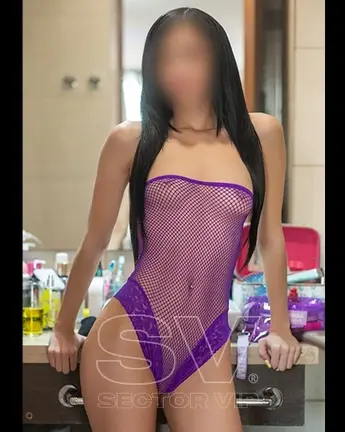
EmmaLuna21

Escort
  • Debutó

  • Última visita

Todo lo publicado por EmmaLuna21

  1. Babys estoy activa por acá día y noche 😍😍ven a pasar un rato agradable con esta rica muñeca ❤️❤️
  2. ❤️❤️❤️Amores estoy disponible ❤️❤️❤️ Agenda tu horita para estas navidades ❤️❤️❤️
  3. ❤️❤️Mis lindos estoy disponible.!!! Toda la noche y todo el fin de semana.! Escríbeme y agendamos❤️❤️
  4. ❤️Amores estoy disponible ❤️ full time los lindos ❤️
  5. Holis mis amores estoy activa por acá toda la tarde y toda la noche.! Realiza tu reserva ❤️🥰
  6. Holis estoy activa toda la noche y todo el finde .! 😍😍😍😍😍😍
  7. Buenas noches amores estoy disponible full time ❤️❤️
  8. Mis lindos estoy disponible toda la tarde.! ❤️
  9. ❤️Mis lindos estoy disponible toda la noche ❤️
  10. ❤️Amores estoy activa por acá ❤️ Holis estoy súper activa por acá mis lindos ☺️
  11. 👻👻feliz noche amores estoy activa y toda el fin full👻👻
  12. 😍Cariño estoy activa súper full por acá escríbeme y agendamos una horita 😍
  13. Babys estoy disponible por acá, vengo con Promo 😍❤️
  14. 😍Hermosos estoy súper activa para ustedes .😍hoy trabajo toda la tarde y noche
  15. ❤️Holis ando disponible por acá mis bellos. Escríbeme y agendamos una horita .! ❤️
  16. Holis estoy disponible mis lindos! Escríbeme y agendamos una horita estoy toda la tarde y toda la noche ❤️
  17. Mis lindos estoy disponible full time escríbeme y agendamos una horita 😍💋
  18. Mis lindos estoy disponible día y noche 😍😍😍
  19. Holis amores estoy activa .! Escríbeme y agendamos una horita❤️❤️❤️

Account

Navigation

Buscar

Buscar

Configure browser push notifications

Chrome (Android)
  1. Tap the lock icon next to the address bar.
  2. Tap Permissions → Notifications.
  3. Adjust your preference.
Chrome (Desktop)
  1. Click the padlock icon in the address bar.
  2. Select Site settings.
  3. Find Notifications and adjust your preference.